Sample rate converter
Sample Rate Converter
- 1st conversion free
- No installation
- No plugin
- Files stay local
Drop your audio file
WAV, AIFF, MP3, M4A, FLAC, OGG. Converted to the sample rate and bit depth you choose, in your browser
✓ 1st conversion free. ✓ Your audio stays on your device.
Watch sample rate tutorialsWhat this tool does for you
- Resample between 44.1, 48, 88.2, 96, 176.4 and 192 kHz
- Change bit depth between 16, 24 and 32 bit
- Export WAV, AIFF or MP3 from the same pass
- Audition the result before you commit to the export
- Everything runs in your browser. Files are never uploaded to a server.
How it works
01. Drop your audio file
WAV, AIFF, MP3, M4A, FLAC or OGG, mono to multichannel.
02. Pick rate, depth and format
Target sample rate, bit depth and container, with a size estimate.
03. Download the file
Converted locally, ready for Pro Tools, Resolve or Premiere.
Sample rate, bit depth and when to convert
The two standards you keep meeting
48 kHz is the video and broadcast standard; 44.1 kHz is the music and podcast standard. Both are fine, but they do not mix inside one timeline. High-resolution rates such as 96 kHz are worth recording for material you intend to pitch down or heavily process, because the extra headroom above the audible band survives the stretch.
Resampling is not reinterpreting
Resampling recalculates the waveform for a new rate, keeping pitch and duration intact. Simply relabelling a 48 kHz file as 44.1 kHz plays it slower and lower. If a converted file sounds pitched down, the file was reinterpreted rather than resampled.
Convert once, at the end
A good single conversion is hard to hear on dialogue and music. A chain of them is not: each pass adds its own filtering. Keep the session at one rate, do the work, and change rate only in the final delivery pass. The same applies to bit depth: work at 24 or 32 bit and reduce to 16 bit only for the final master.
Professional use cases
Post-production
Bring 44.1 kHz music beds up to a 48 kHz picture timeline before the mix.
Podcasting
Deliver at the 44.1 kHz your host expects instead of letting it re-encode your file.
Sound design
Down-convert 192 kHz field recordings once the pitch and time work is finished.
Change the sample rate of an audio file
Every conversion here is a true resample: the waveform is recalculated for the new rate, so the file keeps its pitch and its exact duration. That is what you want when a file has to join a session running at another rate, and it is different from simply relabelling a header, which plays the audio at the wrong speed.
The pairs below cover almost everything that comes up in production. Pick the target rate in the converter, and the estimated file size updates before you commit to the export.
| Conversion | When you need it | Context |
|---|---|---|
| 44.1 kHz → 48 kHz | Music, podcast or library audio going onto a video timeline | Most common |
| 48 kHz → 44.1 kHz | A finished mix delivered to Spotify, Apple Music or a podcast host | Delivery |
| 96 kHz → 48 kHz | High-resolution field recordings folded into a broadcast session | Post |
| 192 kHz → 96 kHz | Sound design masters archived at a workable rate | Archive |
| 88.2 kHz → 44.1 kHz | High-resolution music sessions bounced for CD or streaming | Music |
Going the 48 → 44.1 kHz way in particular? The dedicated 48 to 44.1 kHz page covers that conversion on its own.
44.1 kHz vs 48 kHz: which one do you need?
48 kHz is the standard for film, television and broadcast: cameras, field recorders and NLE timelines default to it. 44.1 kHz comes from the CD era and remains the reference for music releases and most podcast hosts.
Neither is better sounding at delivery level. The problem is only ever the mismatch: a 44.1 kHz music bed dropped into a 48 kHz timeline is either resampled silently by the NLE or plays at the wrong speed and drifts against picture. Convert deliberately, once, and you know exactly what happened to the audio. Sample rate conversion explained goes further into why.
Supported sample rates and bit depths
Sample rates
- 44.1 kHz — CD, music, podcast
- 48 kHz — film, TV and broadcast standard
- 88.2 kHz — high-resolution mastering
- 96 kHz — high-resolution production and sound design
- 176.4 kHz — high-resolution archive
- 192 kHz — field recording and extreme sound design
- Source — keep the file's own rate
Bit depth and format
- 16-bit — light delivery, CD, web
- 24-bit — production and broadcast standard
- 32-bit — maximum headroom for further work
- Source — keep the file's own depth
- WAV out: 16, 24 or 32-bit
- AIFF out: 16 or 24-bit
- MP3 out: 320 kbps, no bit depth
Not sure what the file you have actually is? Run it through the audio inspector first to read its rate, depth and channel count.
How to use the sample rate converter
- Drop a WAV, AIFF, MP3, M4A, FLAC or OGG file on the converter at the top of the page.
- Check the detected sample rate, bit depth, channel count and duration.
- Pick the target sample rate, for example 48 kHz.
- Pick the bit depth, or leave it on Source to keep what the file already has.
- Pick the output format: WAV, AIFF or MP3.
- Audition the source, name the output file, then export and download.
See how it works
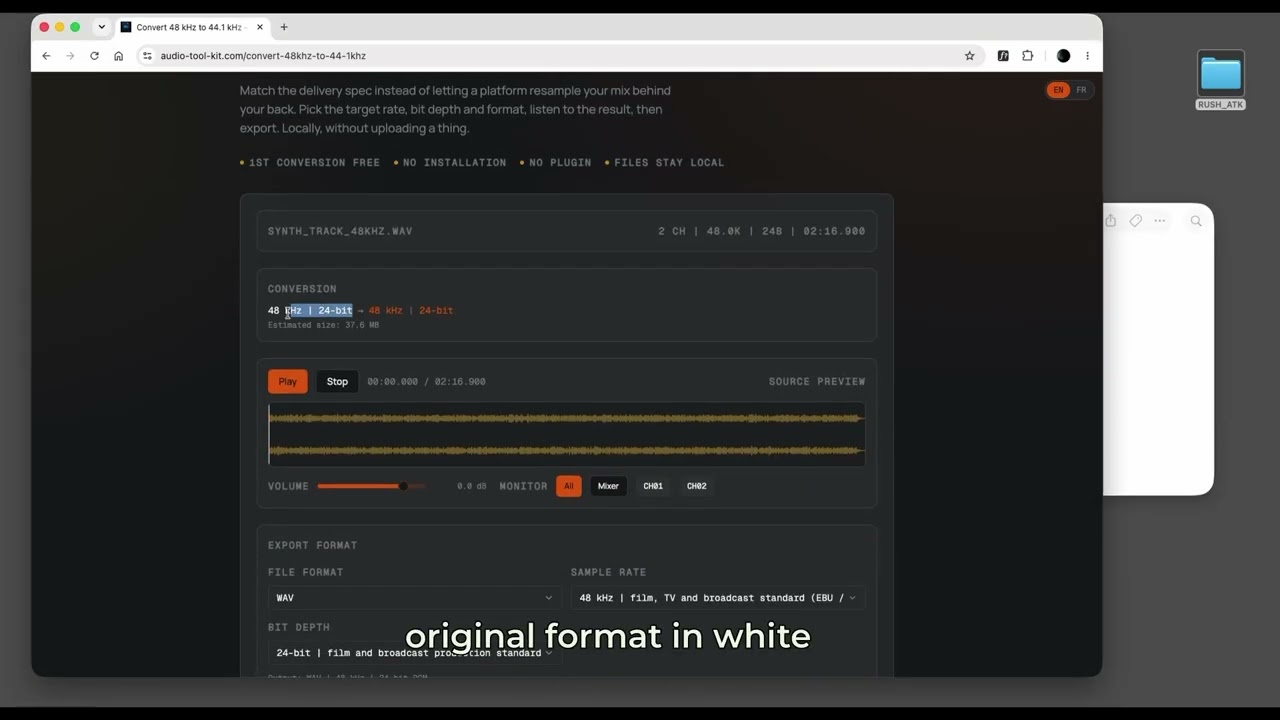 Convert 48 kHz to 44.1 kHzTwo step-by-step tutorials, 48 kHz to 44.1 kHz and 44.1 kHz to 48 kHz for video, both in your browser.Watch the tutorial →View all sample rate tutorials
Your audio stays on your device
Decoding, processing and export all run in your browser: compressed formats are decoded with the Web Audio API, and WAV, AIFF and MP3 files are written by JavaScript in the page. Your audio is never uploaded to our servers. Only anonymous page analytics and, if you sign in, your account and payment details go online.
Frequently asked questions
- How do I convert 44.1 kHz to 48 kHz?
- Drop the file on the converter above, choose 48 kHz as the target sample rate, leave the bit depth on Source or pick 24-bit, then download. The audio is resampled, so pitch and duration stay exactly as recorded.
- How do I convert 48 kHz to 44.1 kHz?
- Same three steps in the other direction: load the file, select 44.1 kHz, export. This is the usual final step when a mix finished on a 48 kHz picture timeline has to be delivered to a music or podcast platform.
- Which sample rates can I convert to?
- 44.1, 48, 88.2, 96, 176.4 and 192 kHz, or Source to keep the file's own rate. 48 kHz is the film, TV and broadcast standard, 44.1 kHz is the music and podcast standard.
- Can I change the bit depth as well?
- Yes. 16, 24 and 32-bit are available for WAV, 16 and 24-bit for AIFF. Choosing Source keeps the depth the file already has. MP3 export is fixed at 320 kbps and has no bit depth.
- Can I change bit depth without changing the sample rate?
- Yes. Leave the sample rate on Source and change only the bit depth, for example 24-bit down to 16-bit for a delivery master.
- Does upsampling improve quality?
- No. Going from 44.1 to 96 kHz interpolates new samples between the existing ones, it does not recover detail that was never recorded. Converting down to a delivery rate is the common real use case.
- Does converting the sample rate change the pitch or the length?
- No. Resampling recalculates the waveform for the new rate, so pitch and duration are preserved. A file that plays slow and low after a conversion was relabelled rather than resampled.
- Which input formats are accepted?
- WAV, AIFF, MP3, M4A, FLAC, OGG and Opus. The file is decoded by your browser and re-encoded to WAV, AIFF or MP3.
- Are my files uploaded?
- No. Decoding, resampling and encoding all run in your browser with the Web Audio API and JavaScript. The converted file is written straight to your downloads folder.
Related audio tools
Related guides and articles
No more channel headaches